
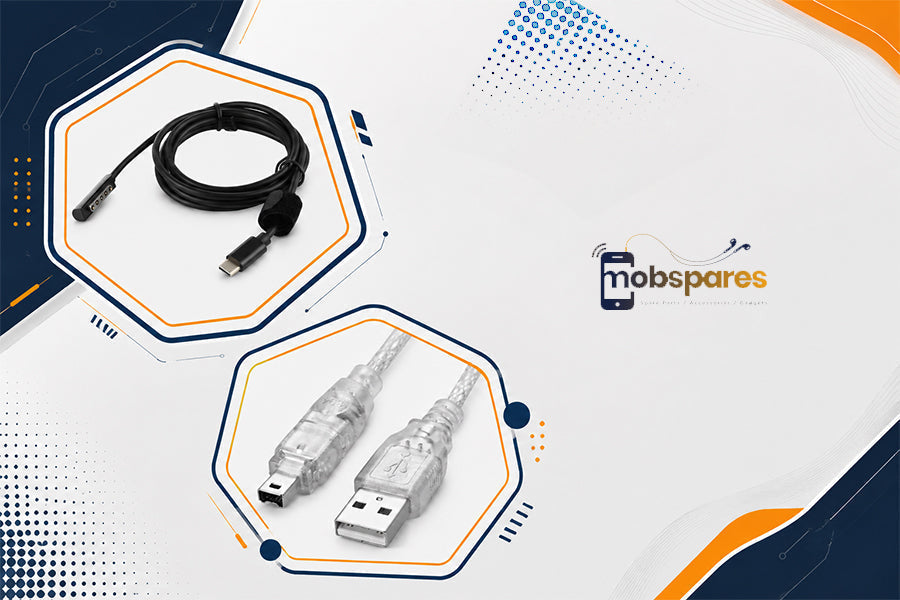
The computer system is as essential as the components that join it and hold it together. Either when it comes to driving internal parts or when connecting monitors, hard drives, and other peripheral devices, having the right computer cables and hardware will make your computer use easier. The decision may be whether you are setting up a new computer, upgrading an existing one, or even just replacing an old cable; knowing what to expect will make things easy. MobSpares has many cables, connectors, and computer components that you should consider when you are about to upgrade.
What Types of Computer Cables Are Essential for a Modern Computer Setup?
Various devices use different cables, so to select the appropriate cable, it is important to first know what the cable is used for. Common options include:
USB Cables: They may be used for connecting keyboards, mice, storage devices, mobile phones, and others.
USB-C Cables: They work well with the newest technology devices and can be utilized to transfer files, charge your device, and do many more tasks.
SATA cables: These are usually used to attach internal storage drives to a motherboard.
HDMI and video cables: Assist in connecting the computers to monitors, TVs, and other displays.
Power cables: Deliver power to computer systems and single components.
Audio cables: Use to connect speakers, headphones, microphones, and other audio devices.
The correct cable to each connection will aid in avoiding compatibility problems and will also keep your work area tidy.
How Do Computer Cables Connectors Help Ensure Reliable Device Connections?
The computer cables connectors are where cables and devices can be attached safely. The correct connector will ensure that the cable fits perfectly into the port and that it facilitates the connection.
This is because poor connectors or incorrect connections can lead to poor connections or even a loss of power to the computer system. The situation is an indication that there is a need to be cautious about the kind of cables, their sizes, and connectors.
Where Can You Get Affordable Computer Cables Without Compromising on Quality?
To locate affordable computer cables does not mean that one is looking for the cheapest cables on the market. A cheap cable that is highly susceptible to breakage could actually end up costing more due to frequent replacements.
Get cables that will match your device both in terms of connectors and specifications. MobSpares is worth considering when looking at the various types of cable, as its cable and connector lineup has products that fit various common computer connections.
What Should You Check Before You Buy Computer Cables Online?
You should always check the details before you buy computer cables rather than just looking at them.
Check:
- Connector types on both ends
- Cable length
- Data transfer capability
- Charging or power requirements
- Device and port compatibility
- Cable construction and intended use
The product specifications make a great approach to prevent purchasing a cable that doesn't fit your device despite appearing to fit perfectly.

What Are the Necessary Computer Parts for Constructing or Reconstructing a Computer?
In order to function, there are a number of computer parts required by a computer. This depends on the exact combination, depending on the use of the system.
Significant elements can be the following:
- Motherboard
- Processor
- RAM
- Power supply
- Storage drive
- Cooling fans
- Computer case
- Expansion or add-on cards
You might not have to replace everything in case of upgrades. Sometimes, adding compatible RAM, upgrading storage, or changing the power supply can make a difference.
How Do Different Computer Components Work Together for Better Performance?
Every element plays a particular role. Instructions are processed by the processor, temporary working memory is offered by RAM, files and applications are stored in the storage, and the motherboard makes these components communicate with each other.
A power supply is used to provide the electricity needed by the system, and cooling components are used to control heat. When these computer components are well matched, the system will be able to work more efficiently and with a lot of reliability.
How to Choose the Right Computer Cables and Connectors for Your Devices?
The first step is to determine the ports of your devices. Then examine the cable specification and not just select one based on the appearance of the connector.
Consider:
- Purpose: Decide whether your need for the cable is power, data, video, or audio.
- Compatibility: It is imperative that you match both sides to the device that you will be connecting.
- Length: Select a length that is not too long to install comfortably but not too short to install.
- Specifications: Check supported speeds, power ratings, or display capabilities where applicable.
MobSpares is a good place to shop when you are in need of comparing various computer cables connectors, and other computer accessories in the same store.
Why Is Compatibility Important When Choosing Computer Parts and Components?
Hardware compatibility is what determines whether hardware can work or not. A component might have great specifications, but that does not mean that it can fit your system because it may not fit the motherboard, available slots, power needs, or even the physical dimensions.
Review the current hardware specifications before purchasing and compare them with the replacement or upgrade. When you are about to buy computer cables or computer parts, it is always a good idea to consider compatibility before making the purchase and end up with frustrating returns and difficulties in installation.
You can replace a single cable, or you are planning to upgrade your entire computer; it is easier to select the appropriate products. Explore MobSpares' range of computer cables, connectors, computer parts, and computer components to find options that fit your setup and keep your devices connected and ready for everyday use.